Markdown notes,
backed by Git.
Your notes are ordinary .md files in a repository you own. Open Note writes them, commits them and syncs them — and every one of them still opens in any other editor.
MIT licensed. No account. No server. Nothing to sign up for.
The argument
Every notes app promises your data is yours. This one is built so that claim needs no trust.
The files are the product
A vault is a normal Git repository full of normal Markdown files. Read them on github.com, edit them in Vim, grep them from a terminal. Open Note invents no storage format of its own.
Git is the sync layer
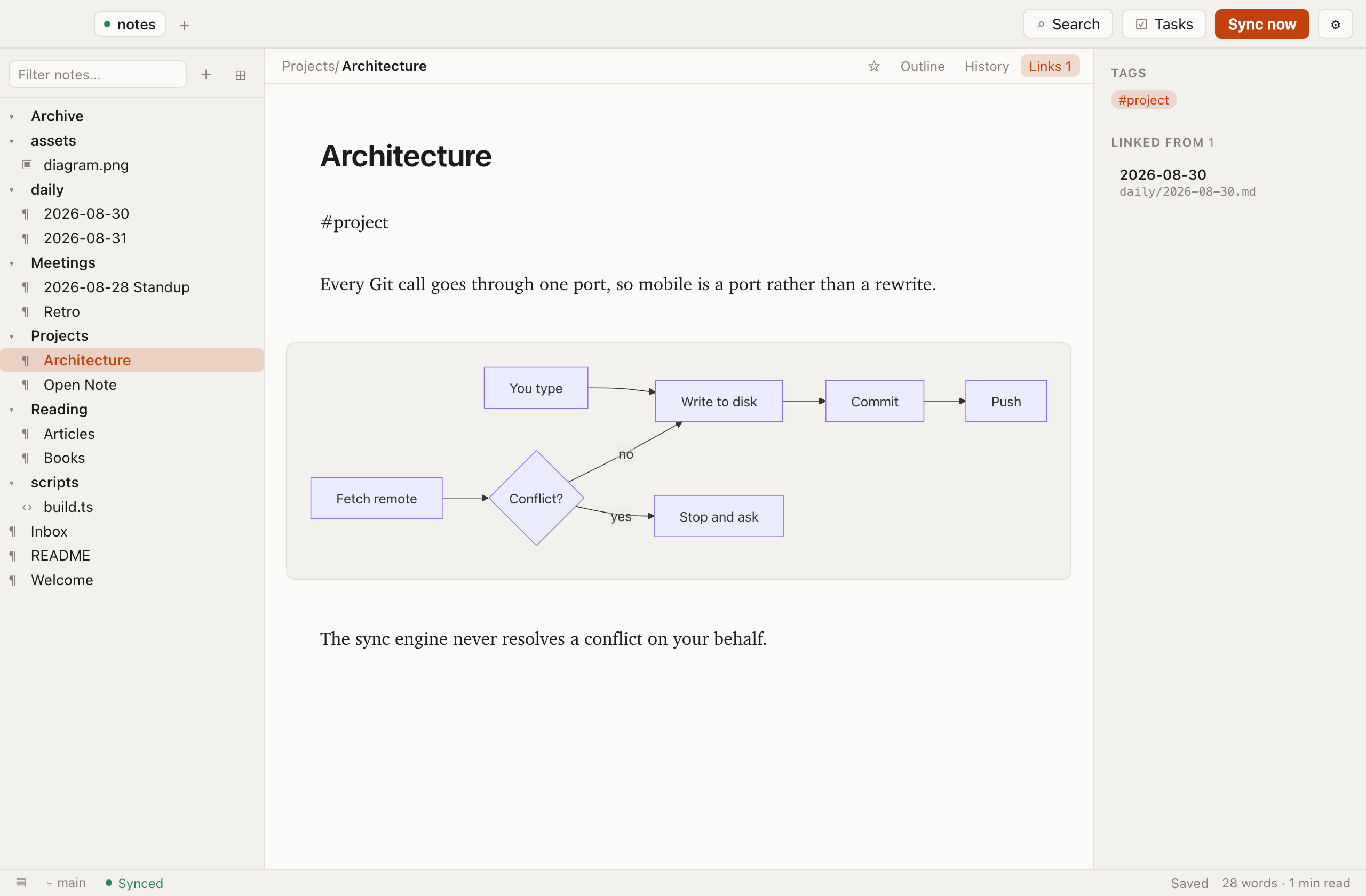
There is no Open Note server, so there is nothing to subscribe to and nothing to be breached. Your notes sync through the same remote your code does — GitHub, GitLab, a box in your loft.
Every version is kept
Autosave writes, and the app commits on your behalf. Any note can be read as it was at any point in its history, and restored from there.
Your Git setup, unchanged
It runs your own git binary, so SSH keys, credential helpers, commit signing, proxies and LFS all work exactly as you configured them.
Tasks that are just Markdown
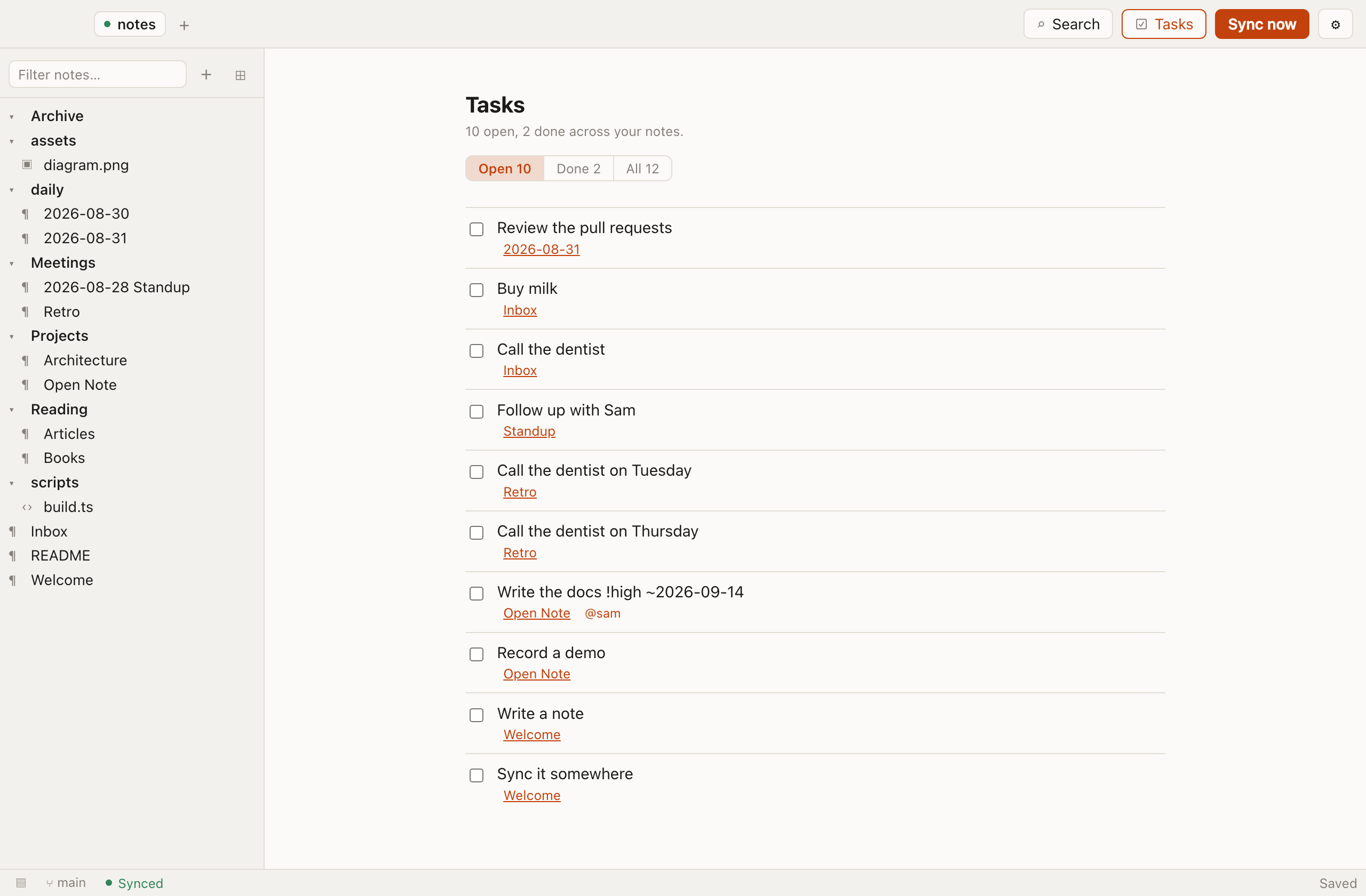
A todo is a GFM checkbox — - [ ] thing. Tick it in the editor or in the task view; it renders as a task list on GitHub either way.
Nothing is phoned home
No telemetry, no analytics, no crash reporting, no account. The app talks to your Git remote and to nothing else. This website does not track you either.
What a note actually is
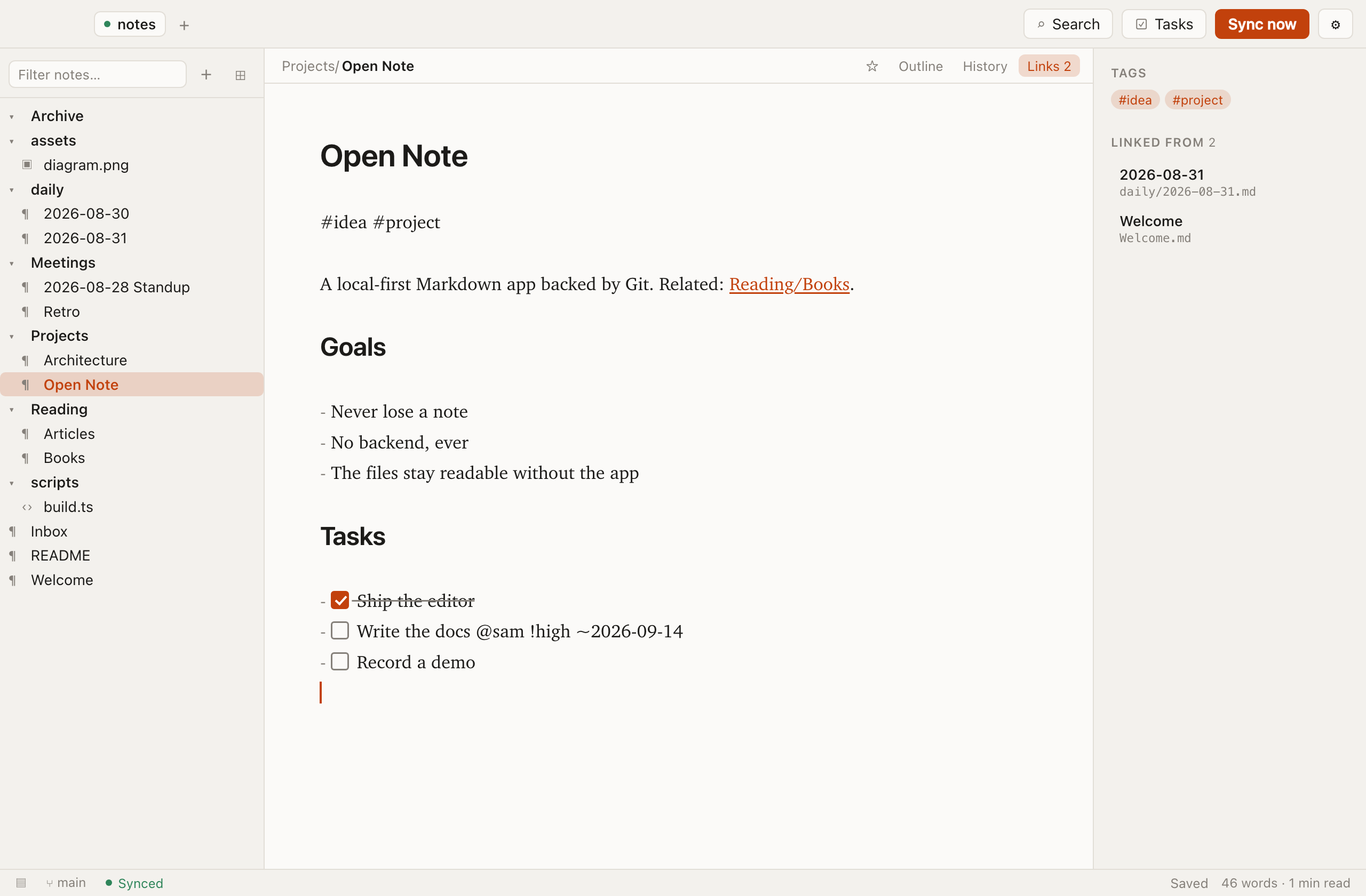
Open the file in any editor and this is all that is there.
# Projects/Open Note.md

# Open Note

#idea #project

A local-first markdown app backed by git. See [[Reading/Books]].

## Tasks

- [x] Ship the editor
- [ ] Write the docs @sam !high ~2026-09-14
Tags, wikilinks, people, priorities and due dates are plain text conventions. Strip Open Note away and the file still reads perfectly.
Built for the way notes actually get used
When two machines disagree
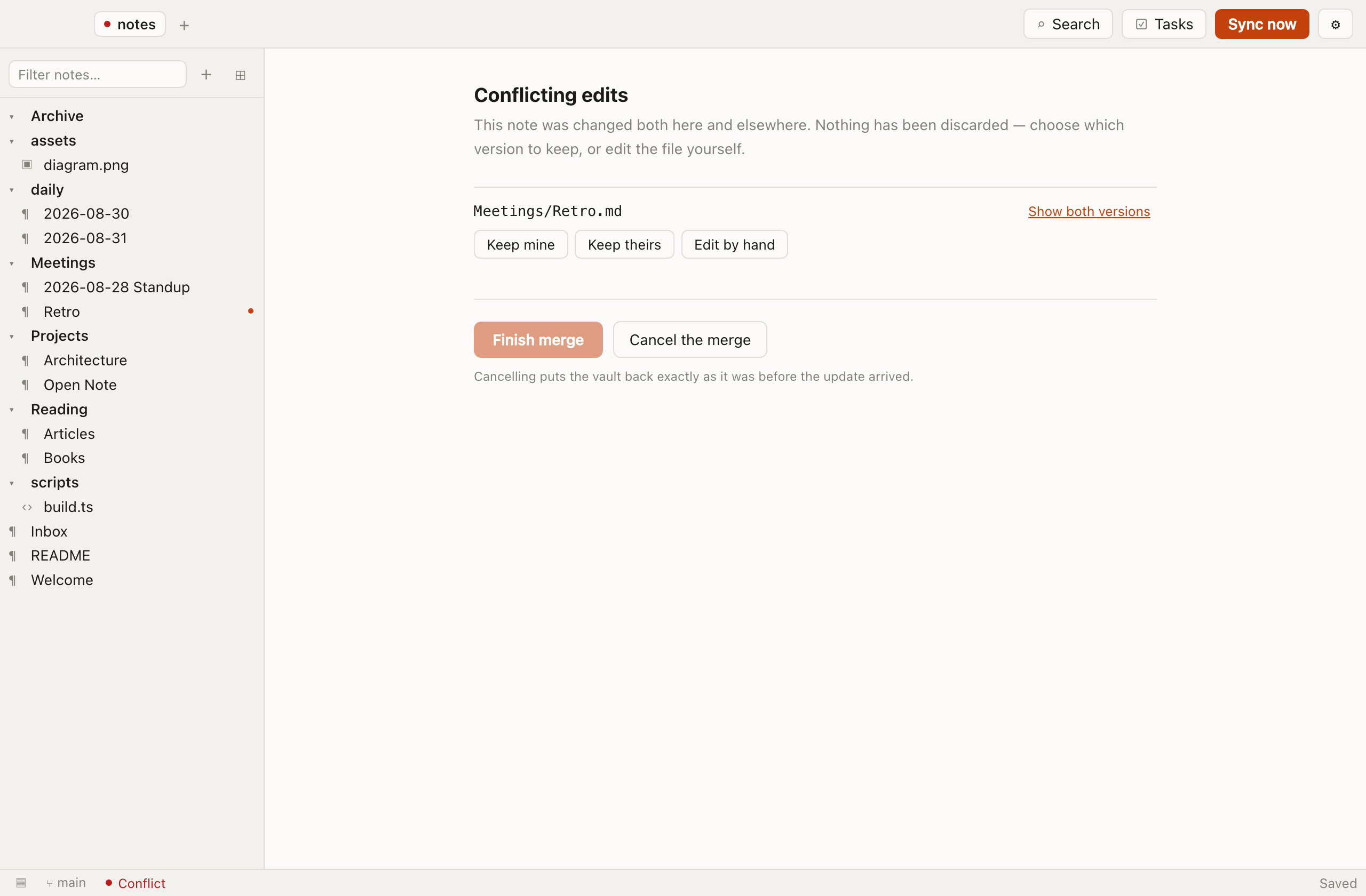
The one thing a notes app must never do is lose a note. Open Note will not resolve a conflict for you.
What Open Note is not
Worth knowing before you download it.
- Not a hosted service.There is no account and no cloud to sign into. If you want your notes on two machines, you bring the Git remote.
- Not zero-setup.A vault is a Git repository. If you have never used Git, you will need to create one first — the docs walk through it, but it is a real step.
- Not a collaboration tool.Two people can share a vault the way two people share a repo: branches, pulls, the occasional conflict. There is no live cursor.
- Not signed yet.macOS and Windows will warn before opening the download. Thedownload page explains exactly what you will see and why.
- Not finished.Mobile, split view and note templates are planned, not shipped. The roadmap is public.
Point it at a repository and start writing.
Free, MIT licensed, and the files stay yours whatever happens to the app.